3D Metabolism
An educational tool to help students and researchers understand complex metabolic functions in an immersive, interactive 3D space.
00
problem
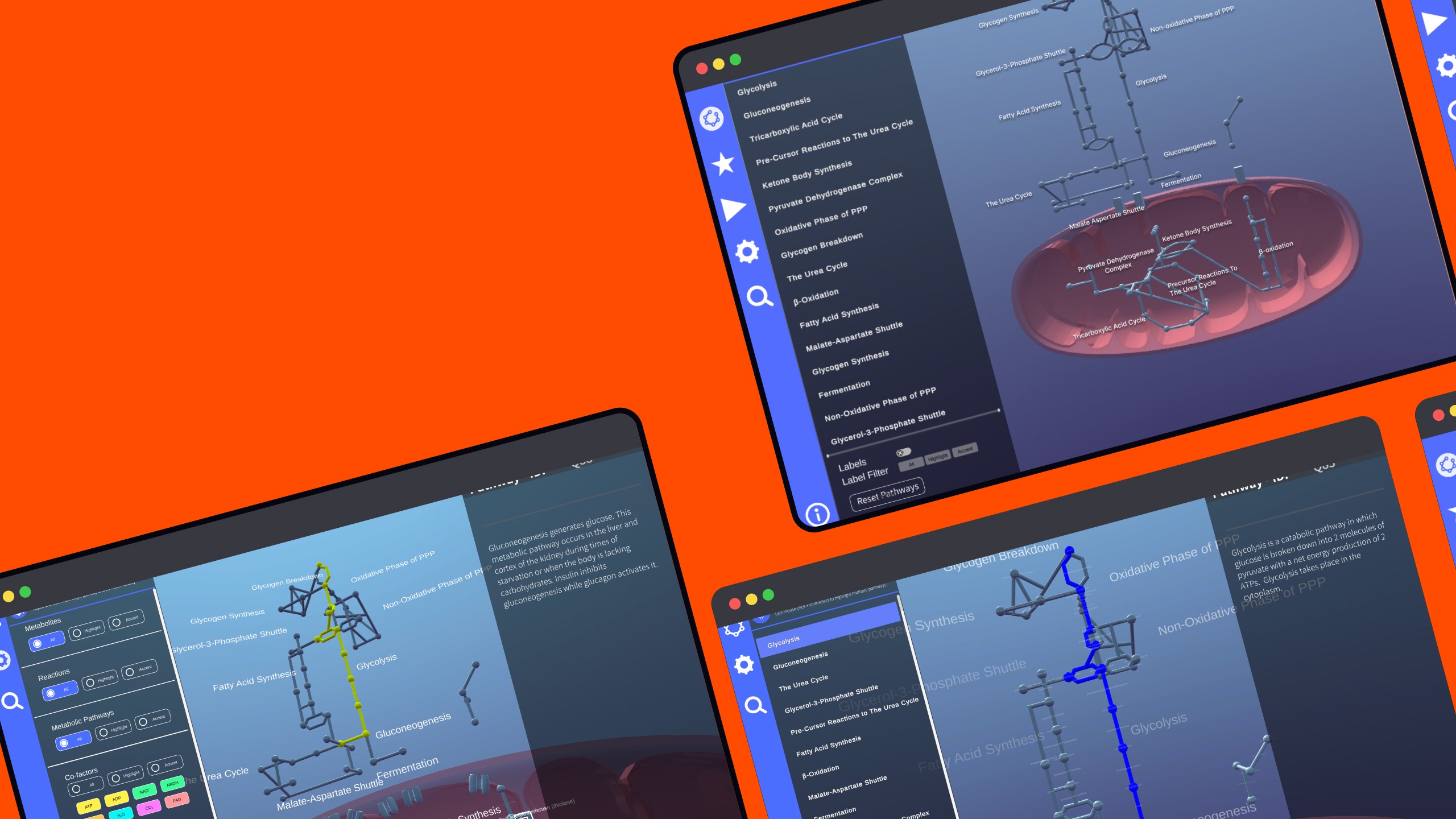
The metabolic network is a famously difficult to learn model in the wider subject of metabolism, where the reactions that work together to produce certain metabolites are described as a pathway of lines and dots. The pathways can get extremely complex as you try to include more metabolic functions. These processes can be difficult to explain through a traditional textbook.
solution
We designed a 3D, interactive metabolic network that allows users to seamlessly switch between a high-level overview and focused pathway exploration. This visually intuitive experience allows students to understand metabolic pathways as part of a connected system, navigate complex information without feeling overwhelmed and learn through exploration rather than memorization.
Our goal was to help translate a dynamic and complex network into clear, accessible, and intuitive visuals.
We wanted 3 main outcomes for the users:
Understand metabolic pathways as part of a connected system
Navigate complex information without feeling overwhelmed
Learn through exploration rather than memorization
Network Model
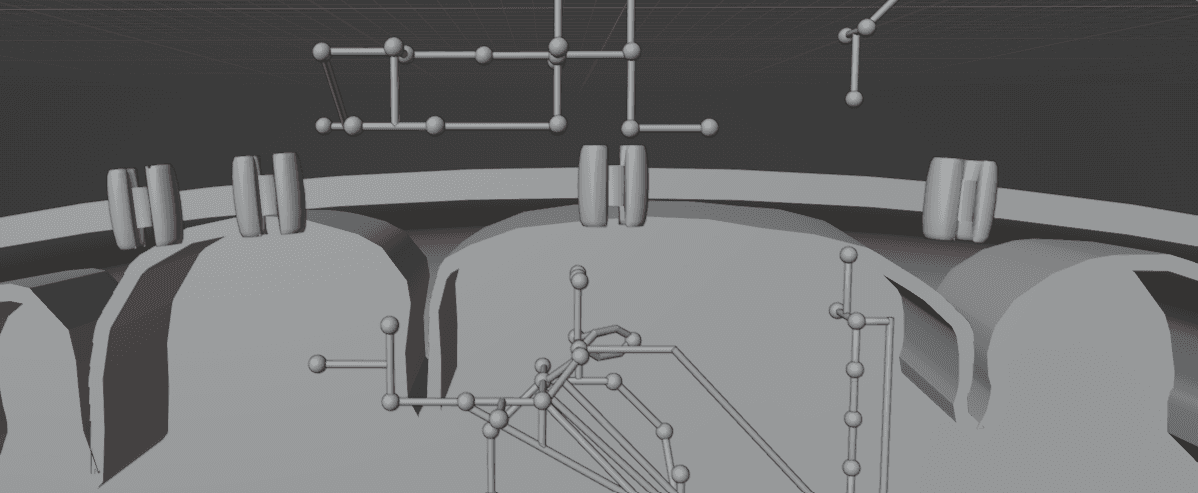
We designed and built the network model on Blender and then imported it to Unity to add in the interactive features.
Challenges & Solutions:
In the initial stages of this project the nodes and edges on the network model in Unity were misaligned creating small gaps in the network. After some inquiry, it was found that this alignment issue stemmed from the Blender model. To fix this issue, we went into the existing Blender file and edited the network to have more a seamless connection and create a more polished product. We also made changes to the curved edges to have straight more geometric lines to allow for a more practical implementation of the bidirectional arrow sleeves on the edges.
Key Features
1. Interactive Network Navigation
Click-and-drag rotation and scroll-based zoom
Smooth camera movement to maintain spatial context
Automatic camera framing when focusing on a pathway
2. Progressive Labeling System
Zoomed-out view shows only pathway labels
Metabolite and reaction labels appear gradually as users zoom in
Labels closer to the camera are emphasized, while others fade back
3. Pathway Highlighting & Direction
Multi-level pathway highlighting
Custom-designed arrow sleeves indicate reaction direction without overcrowding the network
Users can toggle directionality only when needed

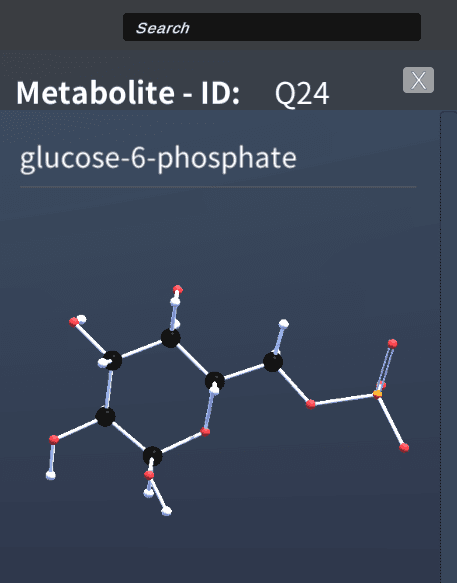
4. Information Side Cards
Clicking any metabolite, reaction, or pathway opens a contextual side panel
Scientific details pulled from a shared WikiBase
Interactive 3D molecular models for deeper exploration
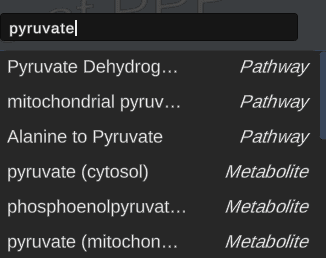
5. Search & Spotlight Tools
Search bar quickly navigates users to any metabolite, reaction, or pathway
Hover-based spotlighting highlights elements and labels without opening menus
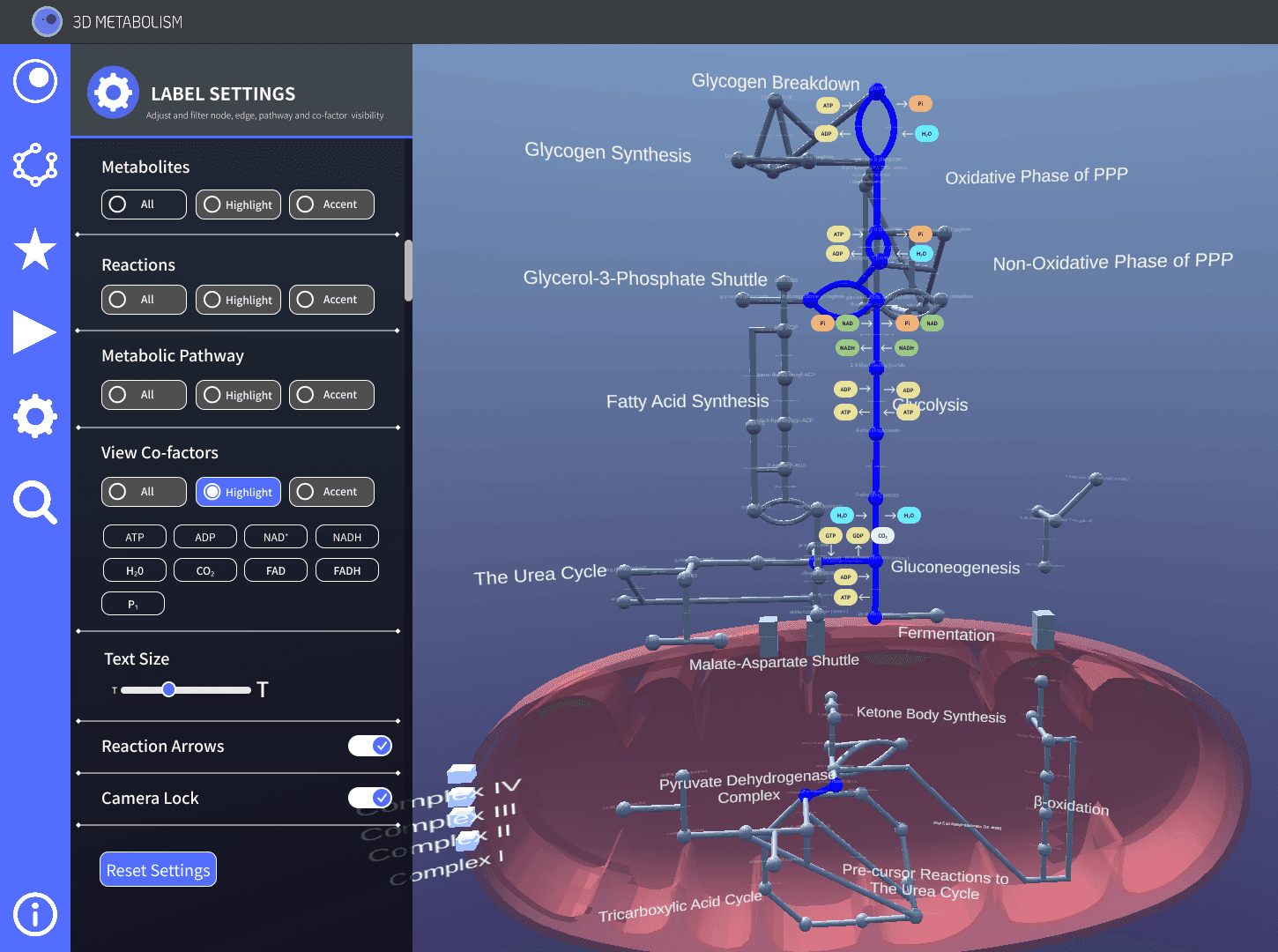
6. Cofactor & Reaction Animations
Animated pathways show reaction flow step by step
Cofactor animations visualize energy transfer and mini-reactions
Animations reinforce understanding of process, not just structure
User Testing & Iteration
User testing with second-year biochemistry students revealed:
84% found pathways easier to visualize
Major issue: labels were overwhelming and navigation felt unintuitive
Based on feedback, we:
Redesigned the labeling system
Improved camera movement and interaction controls
Refined the compound visualizer for clarity and accuracy
Challenges
Preventing visual overload in a dense 3D network
Designing directional indicators that remained legible at all zoom levels
Balancing scientific accuracy with usability and performance
The final experience transforms metabolism from a memorization-heavy subject into an explorable visual system.
01

see also